Output
A form is rarely the whole program. A market-stall order opens with a welcome box, says what it is doing between steps, and closes with a summary and its next steps. The output() primitives draw that chrome with the same theme the panel uses, so the text around the form belongs to the same program as the form itself.
output() returns a DrevOps\PhpTui\Primitive\Output carrying the pieces: a box and a card, an aligned table, five status lines, a definition list, wrapped text, a rule and a banner. Like progress(), it is a primitive: it collects no answer and never runs inside the interactive panel. Hold onto the object and call it as often as you need - every call returns it, so the calls chain.
$out = $tui->output();

$out->box('Welcome', 'Everything below is picked the morning it ships.');

$answers = $tui->run();

$out->success('Preserves are ready')
  ->definitions(['Jars' => '12', 'Fruit' => 'Apricot'])
  ->note('Anything short is refunded, never substituted');
Box
box() frames a body under an optional title, sized to its widest line and capped at the terminal. Pass a string, or a list of lines when you want to control the spacing - an empty entry stays a blank line.
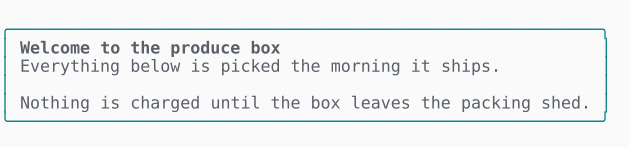
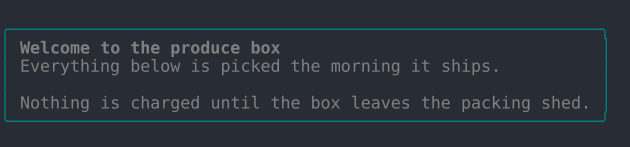
$out->box('Welcome to the produce box', [
  'Everything below is picked the morning it ships.',
  '',
  'Nothing is charged until the box leaves the packing shed.',
]);
Long lines wrap inside the border rather than being clipped by it, so you can hand box() a paragraph and let it fit itself to the terminal.
Runnable in playground/18-output-box.php.
In all four display modes - Unicode or ASCII, color on or off:
| ANSI | No ANSI | |
| Unicode | | 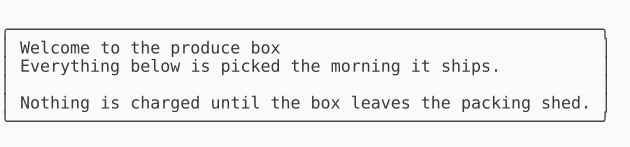 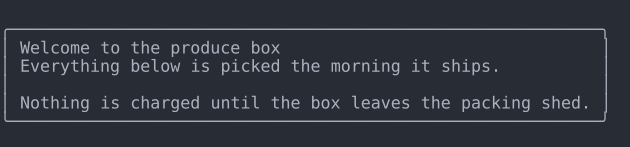 |
| ASCII | 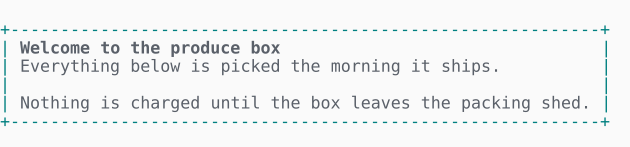 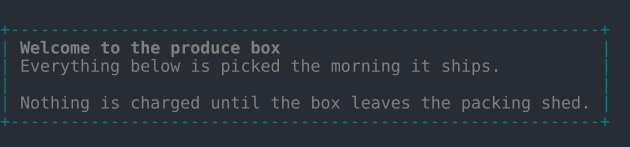 | 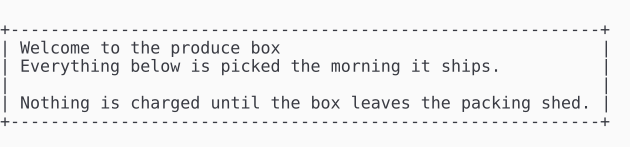 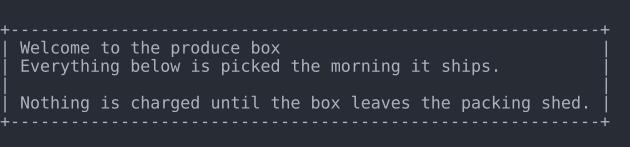 |
Table
table() lays headers and rows into a bordered grid, sizing each column to its widest cell and capping the whole thing at the terminal. It is the same renderer a markup block's grid uses, so a standalone table matches the ones inside the panel.
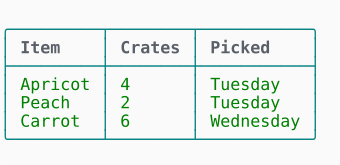
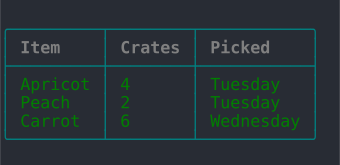
$out->table(['Item', 'Crates', 'Picked'], [
  ['Apricot', '4', 'Tuesday'],
  ['Peach', '2', 'Tuesday'],
  ['Carrot', '6', 'Wednesday'],
]);
Pass an empty header list to draw the rows with no header row. When the natural width exceeds the terminal, the widest columns shrink and over-long cells are cut short with an ellipsis, so the borders always stay whole.
Runnable in playground/18-output-table.php.
| ANSI | No ANSI | |
| Unicode | | 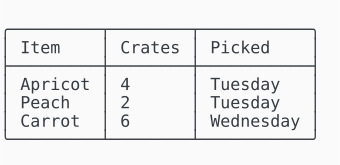 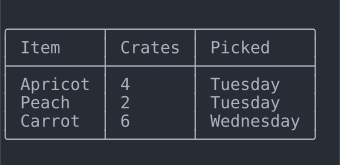 |
| ASCII | 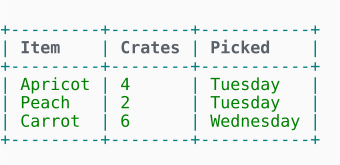 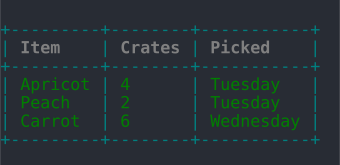 | 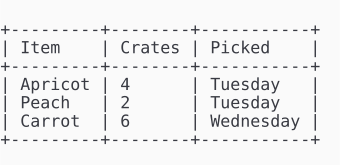 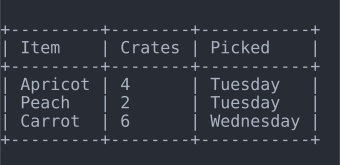 |
Card
card() is the full form of box(): a title, a body and a grid, boxed together when the three belong to one another. It is the same renderer behind a markup block's card, so a standalone card and an in-form card are the same object drawn twice.
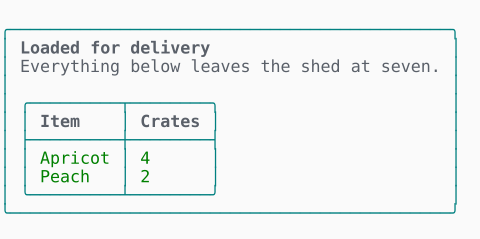
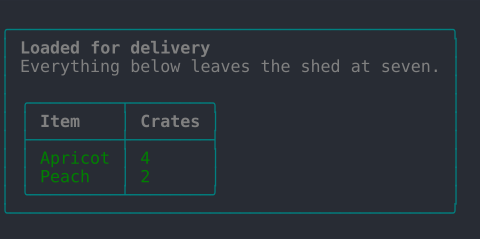
$out->card('Loaded for delivery', 'Everything below leaves the shed at seven.', ['Item', 'Crates'], [
  ['Apricot', '4'],
  ['Peach', '2'],
]);
The grid is sized to fit inside the card's own border, so the two frames never collide. Pass bordered: false for the indented card - the shape a markup block draws when it carries a grid without asking for a border.
Status lines
Five kinds, each with its own glyph and its own color: note(), info(), success(), warning() and error().
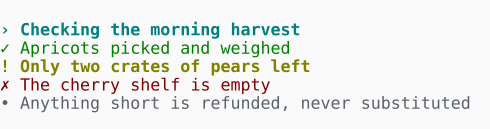
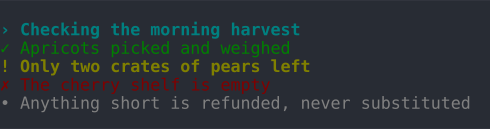
$out->info('Checking the morning harvest')
  ->success('Apricots picked and weighed')
  ->warning('Only two crates of pears left')
  ->error('The cherry shelf is empty')
  ->note('Anything short is refunded, never substituted');
The glyph carries the meaning on its own, so the five stay distinguishable with color off and in ASCII alike. Every glyph is one column wide in any terminal, so a run of status lines always aligns.
To choose the kind at runtime, pass a Status case to status():
use DrevOps\PhpTui\Primitive\Status;

$out->status($ok ? Status::Success : Status::Error, 'Packed the box');
Runnable in playground/18-output-status.php.
| ANSI | No ANSI | |
| Unicode | | 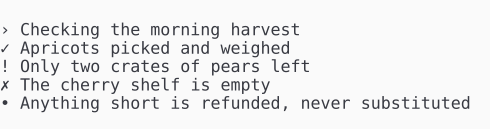 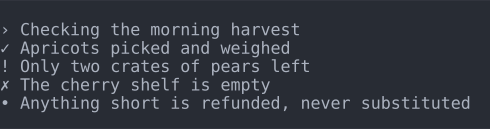 |
| ASCII | 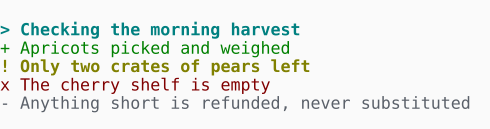 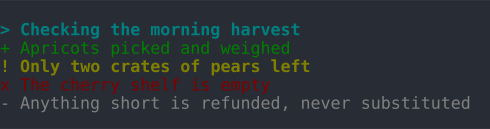 | 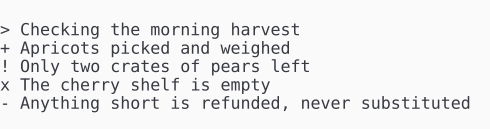 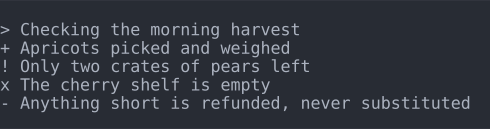 |
Definition list
definitions() lays label/value pairs into two columns - the labels sized to the widest of them, a long value wrapped under its own column. It is the natural way to read a collected form back to the person who filled it in.
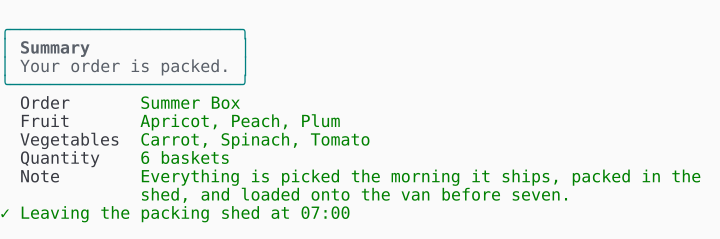
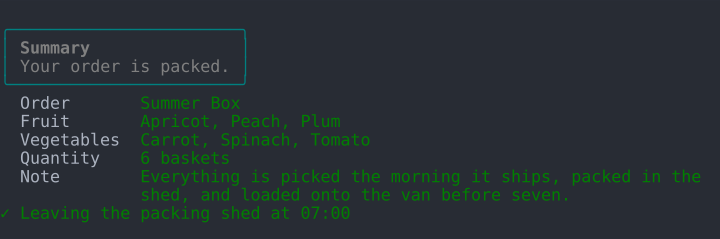
$out->definitions([
  'Order' => 'Summer Box',
  'Fruit' => 'Apricot, Peach, Plum',
  'Vegetables' => 'Carrot, Spinach, Tomato',
  'Quantity' => '6 baskets',
  'Note' => 'Everything is picked the morning it ships, packed in the shed, and loaded onto the van before seven.',
]);
Runnable in playground/18-output-definitions.php.
| ANSI | No ANSI | |
| Unicode | | 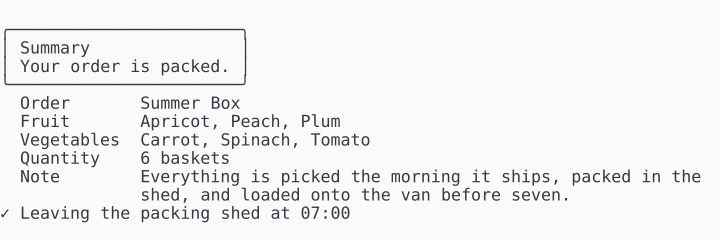 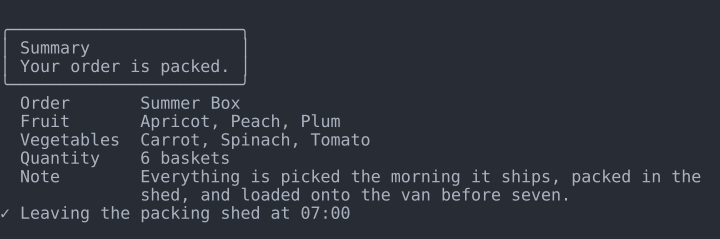 |
| ASCII | 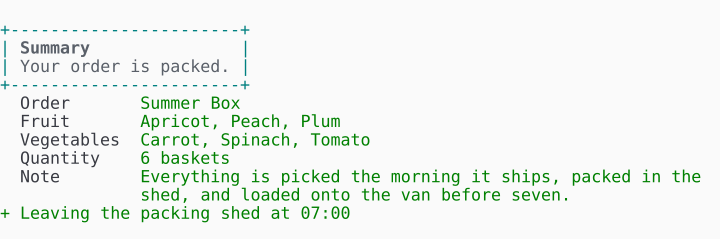 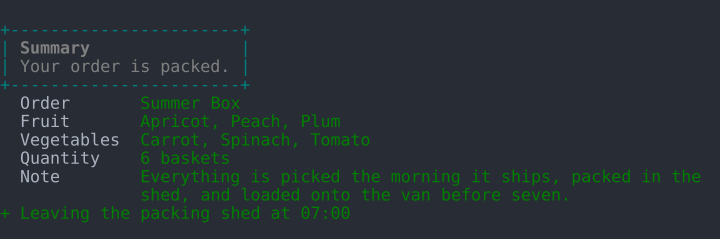 | 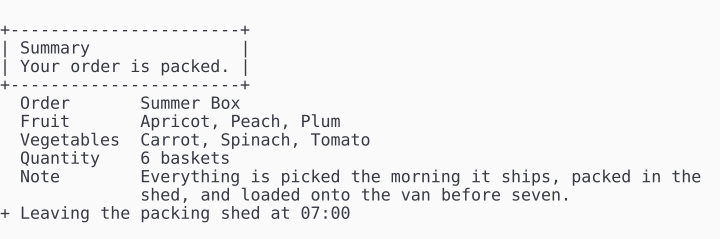 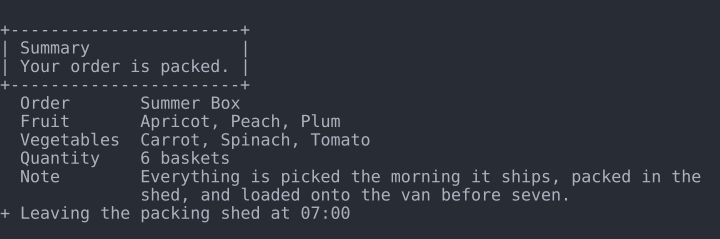 |
Text, rules and a banner
Three smaller pieces round out the set. text() wraps a paragraph to the terminal and renders the same markdown subset a field description carries, so prose outside the form reads like prose inside it. rule() draws a themed separator between sections, and banner() opens the program with a logo above an optional version line.
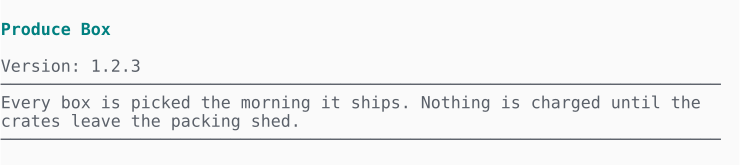
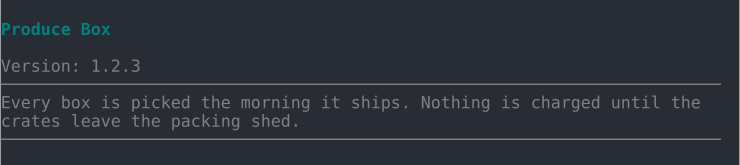
$out->banner('Produce Box', '1.2.3');
$out->rule();
$out->text('Every box is picked the morning it ships. Nothing is charged until the crates leave the packing shed.');
The markdown subset is off by default, exactly as it is for field descriptions - turn it on with $tui->markdown() before reaching for output():
$out = $tui->markdown()->output();

$out->text("**Before you order:**\n\n- Pick a *delivery day* between Monday and Saturday\n- Leave a note if the gate code is not `1234`");
Runnable in playground/18-output-text.php.
Theme-drawn
The colors and glyphs come from the active theme, the same way every field does, and the pieces reuse the voices the panel already speaks in: a box takes the frame's border and heading, a success line the value color, an info line the theme's accent. So ->theme('ember') prints info lines in ember's orange and ->theme('frost') in frost's blue, with no extra configuration and nothing a custom theme has to override to inherit its own palette.
To go further and restyle one piece outright, override its render*() method on your theme - renderCard(), renderTable(), renderStatus(), renderDefinitions(), renderText(), renderRule() or renderBanner().
renderCard() is the single renderer behind both the standalone card and the one a markup block draws in a panel - grid included, since a markup grid is a card with a grid in it - so overriding it restyles the two together. renderTable() draws the standalone grid. None of them takes a field, a panel or an answer set: they take plain strings and arrays, which is what makes them usable outside a form at all.
Degrading off a TTY
Output is chrome, not data, so it is written to standard error and leaves standard output for your program's own results. Piped, redirected or captured, the escape codes would land in the text rather than on a terminal, so the color is dropped and the plain lines remain:
php playground/18-output-status.php 2>&1 | cat
# › Checking the morning harvest
# ✓ Apricots picked and weighed
# ! Only two crates of pears left
The frames, glyphs and alignment survive, because they are text. Forcing wins over the detection either way, and both switches are set on the facade before you reach for output(): $tui->color(true)->output() keeps the color in a captured log, and $tui->unicode(false)->output() draws the ASCII glyphs on a capable terminal. See display modes for the full set of switches.
To write somewhere other than standard error - standard output, or a stream you control - pass your own terminal:
use DrevOps\PhpTui\Terminal\Terminal;

$out = $tui->output(new Terminal(STDOUT));